
How Does Fiber Internet Work? What to Expect From Surfnet Fiber
Learn how fiber internet works, why it’s different from traditional connections, and what to expect as Surfnet expands its fiber network into your community.Fiber internet uses thin strands of glass to transmit data through pulses of light, delivering fast upload and download speeds with low latency. Unlike traditional copper-based connections, fiber can carry large amounts of data efficiently over long distances, making it a reliable option for today’s connected homes and businesses.
For over 25 years, Surfnet has been helping communities stay connected, from the Santa Cruz Mountains to San Luis Obispo County. Now, we’re expanding our network with fiber-to-the-home (FTTH) technology to bring faster, more reliable internet to more neighborhoods.
If you’ve seen construction crews nearby or signed up for fiber updates, here’s what you need to know about the technology and what it takes to get connected.
What Is Fiber-to-the-Home (FTTH) Internet?
Fiber-to-the-home (FTTH) means fiber-optic cable runs directly to your home rather than stopping at a neighborhood connection point and relying on older copper wiring for the final stretch.
Fiber-optic cables carry information using pulses of light instead of electrical signals. This allows data to travel quickly and efficiently, supporting everything from everyday browsing to video conferencing, streaming, and online gaming.
Surfnet is building an FTTH network designed to support the growing demands of today’s connected households.
What Are the Benefits of Surfnet Fiber Internet?
Fiber internet offers fast speeds, low latency, and reliable performance, making it a great option for households with multiple connected devices.
Fast Upload and Download Speeds
Surfnet Fiber offers symmetrical speeds, meaning upload and download speeds are designed to match, with plans ranging from 500 Mbps to 2 Gig.
Download speeds affect how quickly information reaches your devices, such as when you’re streaming a movie, loading a website, or downloading a file.
Upload speeds determine how quickly information travels from your devices to the internet. They’re especially important for video calls, sharing large files, uploading photos, and backing up information to the cloud.
With symmetrical speeds, your connection is designed to handle both activities efficiently, even when several people are online.
Low Latency
Latency is the time it takes for information to travel between your device and its destination.
Fiber connections typically have lower latency than older internet technologies, helping reduce delays during video calls, online gaming, and other activities that depend on quick response times.
Reliable Performance
Fiber-optic cables are not affected by electromagnetic interference the way copper cables can be.
Fiber networks are also designed to handle large amounts of data traffic, helping maintain consistent performance when multiple devices are connected.
No Data Caps
With Surfnet Fiber, you can stream, browse, work, and download without worrying about reaching a monthly data limit.
Built for the Future
As households add more connected devices and technology continues to evolve, fiber provides the capacity to support increasing internet demands for years to come.
How Does Surfnet Bring Fiber Internet to a Neighborhood?
Bringing fiber internet to a neighborhood involves planning, construction, network preparation, and individual property evaluations. Each stage must be completed before a home can be connected.
Step 1: Planning and Construction
Before construction begins, our team plans fiber routes, evaluates existing infrastructure, and coordinates the work needed to bring fiber into a community.
Once construction is underway, crews begin installing the main fiber lines that will serve neighborhoods and surrounding properties.
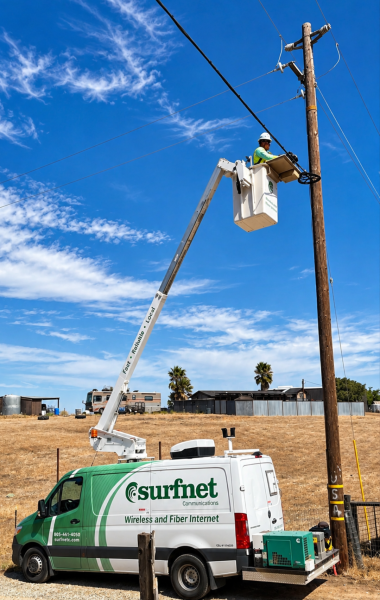
Depending on the location, fiber cables may be installed underground or along existing utility poles.
Step 2: Building the Neighborhood Network
After the main fiber lines are installed, additional connections and equipment are needed to distribute service throughout the neighborhood.
Our team prepares the network for individual home connections and identifies which addresses may be ready for the next phase.
Even when the main fiber lines are installed, additional work may still be needed before individual homes can receive service.
Step 3: Can My Home Get Surfnet Fiber?
Fiber construction reaching your neighborhood does not automatically mean your individual home is ready or able to be connected.
Before confirming service, Surfnet may need to complete an on-site property survey to determine whether installation is possible and what work may be required.
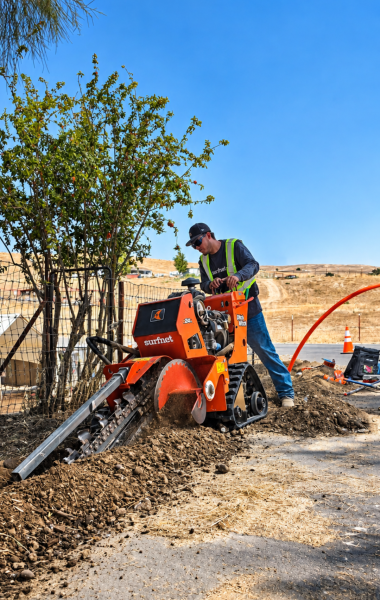
Our team evaluates factors such as:
- The distance between your home and the nearest fiber connection point
- Terrain and natural obstacles
- Existing utility infrastructure
- The best route for bringing fiber to your home
- Any additional construction requirements
These considerations are especially important in areas with steep terrain, long driveways, or properties located farther from the main road.
Once the evaluation is complete, our team can determine whether your home can be connected and explain the next steps.
Step 4: How Is Fiber Internet Installed at My Home?
Once your address is approved and the network is ready, Surfnet technicians bring a fiber connection from the neighborhood network to your home.
Depending on your property, the line may be installed underground or overhead.
Our technicians then install the necessary equipment to connect your home to the fiber network and set up your internet service.
What's the difference between fiber internet and Wi-Fi?
Fiber is the connection that brings internet service to your home. Wi-Fi is the wireless signal your router uses to distribute that connection to devices such as phones, laptops, and smart TVs. Devices can also connect through Ethernet cables for a wired connection. While fiber provides a high-speed connection to your home, your actual experience can depend on your router, device capabilities, Wi-Fi coverage, and other factors. Before completing the installation, our technicians test the connection and make sure the service is working properly.When Will Surfnet Fiber Be Available at My Address?
There isn’t one construction or installation timeline that applies to every home. Availability depends on construction progress, permits, terrain, network equipment, testing, and individual property requirements.
Even if you see fiber crews working on your street, that doesn’t necessarily mean your home is ready for installation.
Some neighborhoods and properties may become eligible sooner than others, even within the same construction project.
As construction progresses and we have a better estimate for your area, our team will share updates with people who have expressed interest in Surfnet Fiber.
For more information about our current expansion areas, visit our Surfnet Fiber construction and availability page, including updates for the Santa Cruz Mountains and San Luis Obispo County.
How Can I Get Updates About Surfnet Fiber Construction?
The best way to receive updates is to check your address and provide your contact information so our team can reach you as construction progresses.
If fiber isn’t ready at your address yet, signing up for updates helps us keep you informed as the network expands and installation opportunities become available.
You can fill out our Fiber Form to stay updated or Check Fiber Availability
Enter your address to see whether Surfnet Fiber is available or coming soon to your neighborhood.
Final service availability and installation are subject to property evaluation, network readiness, and an on-site survey.
Andrea Lovelady